
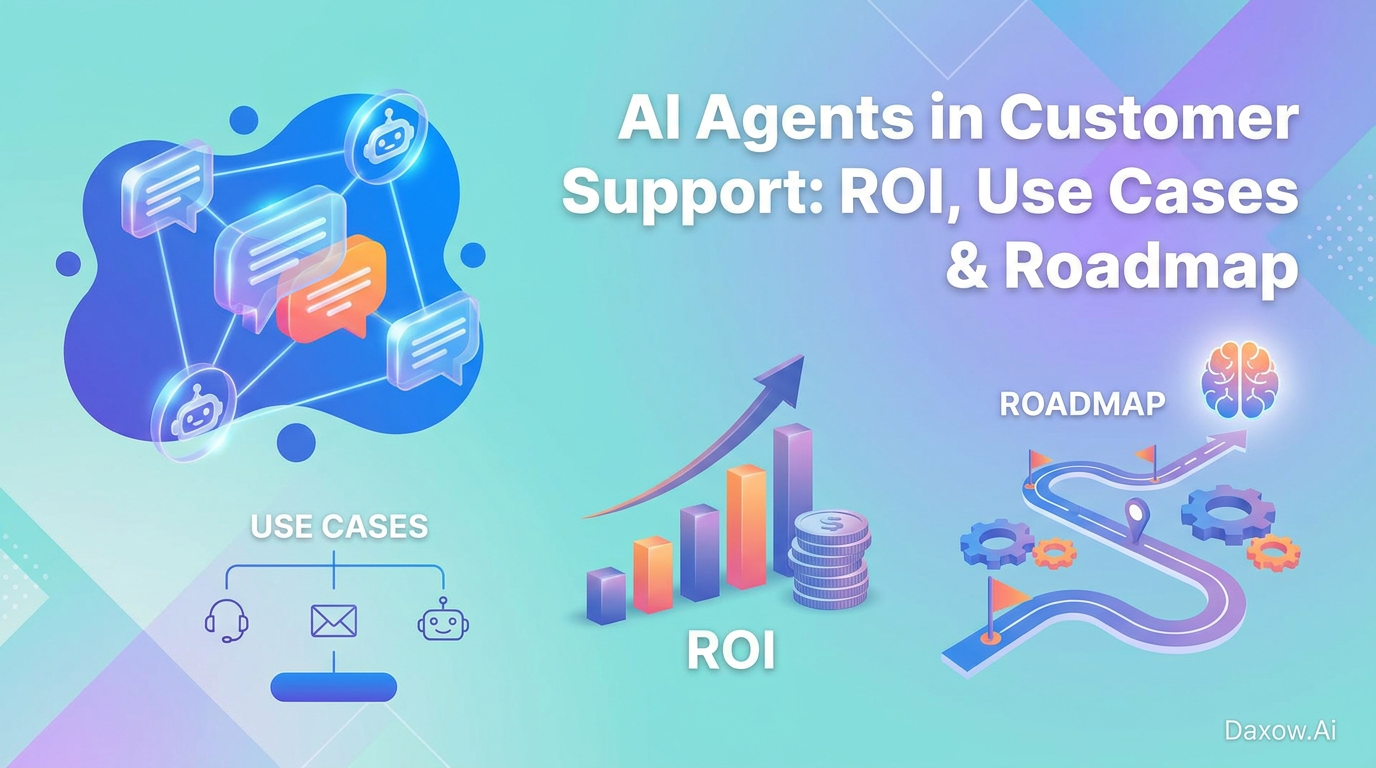
AI Agents in Customer Support: ROI, Use Cases & Roadmap
Explore how AI agents transform customer support with concrete use cases, an implementation roadmap, ROI examples, and governance to boost productivity and cut costs.
AI Agents in Customer Support: How AI Automation Transforms CX, Cuts Costs, and Boosts Productivity
Estimated reading time: 15 minutes
Key Takeaways
- AI agents enable context understanding, multi-tool operation, and continuous learning to automate end-to-end support workflows.
- Modern AI agents differ from legacy automation by handling ambiguity and executing across systems under guardrails.
- Key benefits include reducing manual work, boosting productivity, improving CX, lowering costs, and scaling support efficiently.
- Practical use cases span e-commerce, healthcare, finance, real estate, and internal support functions.
- Successful implementation follows a structured roadmap focused on outcomes, integration, autonomy level, governance, and iteration.
- Clear ROI measurement involves tracking KPIs like volume handled, resolution rates, and cost savings.
- Daxow.ai guides businesses through discovery, design, integration, piloting, scaling, and governance to maximize value.
Table of Contents
- Introduction
- AI Agents in Customer Support: The Business Case
- Practical Use Cases and Industry Examples
- How to Implement AI Agents in Customer Support
- Measuring ROI and KPIs for AI Agents
- Security, Compliance, and Quality Considerations
- How Daxow.ai Builds and Deploys AI Agents
- Conclusion and Next Steps
- Frequently Asked Questions
Introduction
AI agents in customer support are no longer an experimental feature—they are a strategic capability that changes how companies engage customers, resolve issues, and allocate human resources. For decision-makers in startups, enterprises, and operations teams, understanding how AI automation and workflow automation can be applied to customer support is essential to reduce manual tasks, increase productivity, and deliver consistent experiences. This article explains what modern AI agents do, presents practical use cases across industries, outlines an actionable implementation roadmap, and shows how Daxow.ai helps businesses design and deploy custom AI systems that execute real work and deliver measurable ROI.
AI Agents in Customer Support: The Business Case
What Modern AI Agents Do
- Understand context: Parse emails, chat and voice transcripts, and support documents to identify intent, sentiment, and relevant data.
- Plan and act: Break down support goals (e.g., resolve refunds, schedule technicians) into steps and execute across systems.
- Operate across tools: Read and write in CRMs, ticketing platforms, order systems, billing, and knowledge bases.
- Learn and improve: Monitor outcomes and optimize decision thresholds, escalation policies, and response templates.
How AI Agents Differ from Legacy Automation
- Legacy automations follow fixed rules and brittle workflows.
- AI agents combine natural language understanding, decisioning, and cross-system execution, enabling them to handle ambiguous queries, triage correctly, and complete transactions end-to-end under guardrails.
- This shifts businesses from automating single steps to automating entire support workflows.
Key Benefits for Leaders
- Reduce manual work by automating repetitive triage, first-level support, and routine transactions.
- Increase productivity: human agents focus on complex, high-value interactions.
- Improve customer experience with faster response times, personalized interactions, and consistent resolutions.
- Lower operational costs through labor efficiency and fewer escalations.
- Scale support without linear increases in headcount.
Practical Use Cases and Industry Examples
E-commerce
Use Cases:
- AI sales & support concierge: 24/7 chat and email handling for product questions, sizing help, order tracking, returns, and exchanges. The agent reads order data and initiates refunds or exchanges within policy.
- Order & inventory orchestration: Proactively notify customers of shipment delays, offer alternatives, and re-route shipments automatically if needed.
Business Impact: Shorter response times, fewer abandoned carts, reduced support load for human agents.
Integration Needs: Connect to ecommerce platform, OMS, CRM with read/write permissions for orders and returns.
Healthcare
- Patient intake and triage agent: Collect symptoms and insurance info before visits, suggest appointment types, prepopulate EHR fields.
- Appointment reminders and rescheduling: Automatically fill cancellations and manage waitlists to improve utilization.
Business Impact: Reduced front-desk time, better clinician prep, fewer no-shows.
Integration Needs: Secure EHR connectivity, strong access controls, HIPAA-aware logging.
Finance and Financial Services
- KYC onboarding agent: Extracts identity documents, fills application data, flags anomalies, escalates fraud for review.
- Support for transaction disputes: Auto triages disputes, prepopulates forms, tracks resolutions across systems.
Business Impact: Faster onboarding, fewer verifications, reduced fraud risk.
Integration Needs: Connect to core banking, identity verification, audit logs.
Real Estate
- Lead qualification and scheduling: Instantly respond to inquiries, qualify leads by budget and timeline, schedule viewings in calendars.
- Transaction coordination: Track documents, signatures, deadlines; send proactive updates.
Business Impact: Higher conversion rates, reduced coordination overhead.
Integration Needs: MLS/portal feeds, calendar APIs, document signing tools.
Human Resources and Internal Support
- HR support agent: Handles PTO requests, benefits questions, onboarding checklists; escalates complex cases.
- IT helpdesk triage: Collects device and error info, runs diagnostics, opens tickets with prefilled troubleshooting steps.
Business Impact: Fewer repetitive tickets, faster onboarding, improved employee satisfaction.
Integration Needs: HRIS, ITSM tools, identity providers.
How to Implement AI Agents in Customer Support
Implementing AI agents successfully requires a structured program approach. Below are practical steps and best practices to move from pilot to scaled automation.
1. Define Outcomes, Not Features
- Start with measurable business objectives: reduce average resolution time by X%, cut cost per ticket by Y%, increase first-contact resolution.
- Prioritize use cases with high volume, clear low-risk rules, and measurable KPIs.
2. Map and Standardize Current Processes
- Document the customer journey: channels, handoffs, inputs, outputs, decision points, exceptions.
- Identify “shadow” processes (email, spreadsheets) to incorporate into automation.
- Simplify workflows for better automation outcomes.
3. Choose the Right Autonomy Model
- Assisted (human-in-the-loop): AI drafts, human approves. Ideal for sensitive domains and pilots.
- Semi-autonomous: AI auto-handles low-risk within policy, escalates complex cases.
- Fully autonomous: AI executes end-to-end with strict guardrails (e.g., refunds below threshold).
- Align autonomy with risk tolerance, compliance, customer expectations.
4. Integrate with Core Systems and Data
- Ensure agents access CRM, ticket histories, orders, knowledge base, product data.
- Implement identity and permission models for appropriate read/write rights.
- Use API-first integrations and middleware for resilient connectors.
5. Design Guardrails and Governance
- Set boundaries on agent actions and escalation triggers.
- Log all actions for auditability.
- Implement alerts and human override mechanisms.
- Regularly review logs and KPIs to refine policies.
6. Start Small, Measure, Iterate, Scale
- Run a contained pilot with clear KPIs.
- Evaluate volume handled, time savings, accuracy, customer satisfaction, errors.
- Iterate on prompts, logic, and integrations.
- Expand to more channels, languages, and use cases once stable.
7. Invest in Change Management and Upskilling
- Communicate AI agents as copilots reducing repetitive work.
- Train teams to validate outputs, handle exceptions, provide feedback.
- Appoint internal champions to promote improvements.
Measuring ROI and KPIs for AI Agents in Customer Support
Core KPIs to Track
- Volume handled by agents (tickets per month).
- Average handling time (AHT) for agent-handled vs. human-handled interactions.
- First contact resolution (FCR) rate.
- Escalation rate to human agents.
- Customer satisfaction (CSAT/NPS).
- Cost per ticket before and after automation.
Simple ROI Model (Steps)
- Calculate baseline monthly support cost: current monthly tickets × average handling time × fully loaded hourly cost.
- Estimate post-automation cost: tickets handled by AI × AI compute/maintenance cost + tickets handled by humans × new handling time × human cost.
- Calculate benefits: labor cost reduction + revenue uplift + error reduction savings.
- Compare implementation and running costs to annual benefits to determine payback period.
Illustrative Example
Current state: 30,000 monthly tickets, 15 minutes average handling time, €30/hr fully loaded cost.
Baseline monthly cost: 30,000 × 0.25 hr × €30 = €225,000.
After AI agent deployment:
- AI handles 40% of tickets end-to-end; human agents handle 60% with 20% productivity gain (AHT drops to 12 minutes).
- AI operating cost estimated at €20,000/month.
- New human cost: 18,000 × 0.2 hr × €30 = €108,000.
- Total monthly cost after AI: €128,000.
Monthly savings: €97,000.
With €150,000 setup cost, payback is under two months, highlighting payback measured in months, not years for well-scoped projects.
Security, Compliance, and Quality Considerations
- Treat AI agents as system users with role-based access control and secure credentials.
- Log every transaction, maintain audit trails for compliance.
- In regulated industries, keep human-in-the-loop for decisions affecting rights or finances.
- Continuously monitor performance, model drift; retrain and adjust thresholds as needed.
How Daxow.ai Builds and Deploys AI Agents in Customer Support
Discovery and Process Analysis: We map your support workflows, identify high-value automation targets, quantify KPIs, and prioritize use cases based on impact and risk.
Custom Solution Design: We design AI agents tailored to your needs, including conversational agents, triage engines, transactional and orchestrator agents. Autonomy levels and guardrails are aligned with compliance requirements.
Integration and Engineering: Agents are connected securely to CRM, ticketing, ecommerce, billing, and knowledge bases using documented APIs. Robust permissioning, logging, and monitoring are implemented.
Pilot, Measure, Iterate: Contained pilots launch with KPI dashboards; models, prompts, and workflows are tuned using real feedback.
Scale and Governance: Proven value leads to expansion across channels, languages, and processes, with governance and continuous optimization ensuring performance and compliance.
Learn more about our approach on the Daxow.ai Automation and Daxow.ai Integration pages.
Business Outcomes Delivered:
- Reduced operational costs through labor automation and process efficiency.
- Improved productivity: human teams focus on high-value tasks.
- Better customer experience with faster responses and consistent service.
- Measurable ROI with transparent metrics and fast payback on high-volume processes.
Conclusion and Next Steps
AI agents in customer support are a strategic lever to reduce manual work, boost productivity, and re-architect how customer service is delivered. When built with clear business goals, solid integrations, and strong governance, AI-powered automation delivers rapid, measurable value.
If you are ready to explore how AI agents and workflow automation can transform your support organization, Daxow.ai can help—on a practical, outcome-driven path from discovery to scale.
Book a free consultation or request a process analysis to identify high-impact automation opportunities and a clear ROI roadmap. Partner with us to build custom AI systems that execute real tasks and deliver measurable results.
Frequently Asked Questions
What distinguishes AI agents from traditional customer support automation?
Unlike rule-based legacy automations, AI agents combine natural language understanding and decision-making to handle ambiguous queries and execute complex workflows end-to-end across systems, improving flexibility and efficiency.
How do I measure the ROI of AI agents?
Track KPIs like volume handled, average handling time, first contact resolution, escalation rate, customer satisfaction, and cost per ticket. Comparing costs before and after AI deployment helps quantify financial benefits and determine payback periods.
What industries benefit most from AI customer support agents?
AI agents create value across industries including e-commerce, healthcare, finance, real estate, and internal HR/IT support by automating triage, transactional tasks, scheduling, and customer engagement.
How does Daxow.ai support implementation?
Daxow.ai offers end-to-end services including discovery, custom AI design, integration, pilots with performance measurement, scaling, and governance to ensure AI agents deliver measurable business outcomes efficiently and compliantly.